Previously, extreme bands recorded guitars on the classical scheme - studio, amplifier, microphone, guitarist. But in the processing such a result it takes a very long time to hide errors. Or they made perverted experiments in the process of re-amp - only most popular (vintage and similar) amplifiers and pedals exist in VST format. But now there was a plug-in that allows you to get a very brutal sound.
Nice job. The result you can hear is that this sound is very suitable for the deathcore or djent. Comments are superfluous.
Currently, this plug-in is not available for purchase, only pre-order is available. But for those who have pre-ordered, access will be 2 days earlier than for general public.

Showing posts with label computer. Show all posts
Showing posts with label computer. Show all posts
August 27, 2018
April 21, 2018
Virtual Guitar Processors: POD Farm vs Guitar Rig
Not all people are owners of a large living space - to keep the amplifier and a large number of effect pedals, everyone can not. But everyone, who plays guitar, want a good sound. Virtual processors can help here. I compared two popular virtual processors and today I'll tell you about results.
POD Farm from Line 6
 Manufacturer of guitar equipment has now entered the virtual space. For comparison, version 2.59.0 (build from February 14, 2017) is taken.
Advantages:
Disadvantages:
Guitar Rig from Native Instrument
 When it comes to Native Instrument, comments are always superfluous. For comparison, version 5.1.0 (build from March 22, 2012) is taken.
Advantages:
Disadvantages:
I think choice is obvious.
POD Farm from Line 6

Advantages:
- Very high-quality emulators with very little CPU resources.
- Very simple setup: you choose the elements and play.
- It's impossible to make a mistake. You just choose the elements of your sound and play.
- Emulator cabinet contains an emulator of 4 microphones (can be used only separately), as well as a simple tool to adjust room size.
- Can be divided into two channels and used separately or together. For example, this can be useful for rhythm (emphasizing low frequencies, more gain) and for solos (high-frequency underscores, less gain).
- Can be used as a vocal processor.
- It's not necessary to connect via a professional audio interface. To connect the built-in audio card on your computer.
Disadvantages:
- Quality is lower compared to the next.
- There is no possibility of recording. It's possible to make friends with sequencer, but for this you need to copy *.dll files to folder "vst plugins".
- A lot of similar elements of the tone block. I never saw the difference between the "modern" and "vintage" delays.
Guitar Rig from Native Instrument

Advantages:
- "Made in Germany" and "Quality" are synonyms. And this product is no exception.
- A very convenient CPU usage monitor. At the time of exceeding 100% the program is automatically turned off.
- You can switch between low and high quality.
- You can very fine tune your tone. Immediately is a huge number of well-known instruments for forming a tone.
- There are very rare and specific effects. For example, UFO effect - this sound can not be described.
- A lot of extra tools. For example, you can export your result as wav file. Or import the previously recorded riffs and see how it will sound.
- Also there is a very convenient metronome, in which you can even test your sense of rhythm. So convenient that I decided to highlight this as a separate item.
- For each amp, there is a separate cabinet emulator and two separate microphone emulators (condenser or dynamic). But the company's emulator cabinet contains emulators of 8 different microphones, which can be used both together, as well as separately.
- Compressors / limiters are just fantastic.
- Opportunity to divide into two channels. There are three types of separation: from side and in middle, from below and from above and also the classical division into two channels.
- Volume pedal can be controlled by any external device. I did it for this purpose to customize the gamepad for PS2.
Disadvantages:
- This is not a toy for beginners. It's very difficult to learn and adjust.
- It's very easy to make a mistake. Elements are from top to bottom.
- It behaves inadequately when connected through the built-in sound card on computer / laptop.
- Realism is good, but only up to a certain point. If guitar is not connected to computer, then all the time you hear a rattle and crackling.
- It's impossible to make friends with sequencer. However, this is compensated by the possibility of recording.
- It requires a lot of CPU resources. That is, if CPU has less than 4 cores and the clock frequency is less than 2.0 (Intel), then forget about it.
- Divide into two channels is possible, but this requires a very long time to set up. And it's not always what I wanted.
- Only one amp for bass, and bass sound is tuned in a very specific way.
I think choice is obvious.

December 10, 2017
Virtual bass: Fodera Yinyang VS Scarbee pre-bass
I really love playing guitar, but I don't have other instruments. Therefore, writing rhythm section for a long time was a big problem. The solution was the use of VST plug-ins in sequencer. Tried several pieces and decided to compare the most interesting. Today we considering two virtual instruments. First is Fodera Yinyang from Ample Sound. Second is Scarbee pre-bass from Native Instruments.
Fodera Yinyang
 Let's imagine this situation: we will give two different people headphones with an ideally accurate frequency response and ask for opinion. The first is usual average people, which does't see any reason to pay for headphones more than 2 bucks. The second is a person who has good hearing and extensive knowledge about sound (musician, sound engineer, etc.). I think you can imagine what they will say.
Approximately the same thing here. It would seem, four strings, standard tuning, two pickups, well, what can you think of yet? However, from very beginning, you understand that this is something unusual. Then we googled the title of this instrument and see that the same device uses Victor Wooten. A specialist of this level can't take bullshit.
Advantages:
Disadvantages:
Scarbee pre-bass
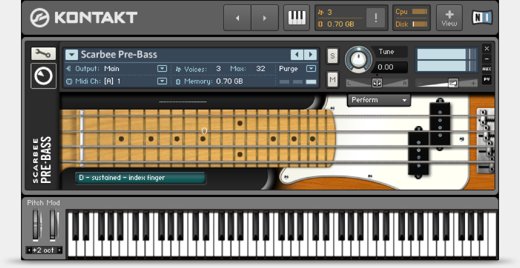
Sound of legendary Fender Precision Bass '72 is now available in VST format. Further description is pointless: this instrument has been showing excellent sound for decades. Users are given a clean sound. Absolutely clean - sound was recorded in a line.
Advantages:
Disadvantages:
Here are such interesting opposites.
Fodera Yinyang

Approximately the same thing here. It would seem, four strings, standard tuning, two pickups, well, what can you think of yet? However, from very beginning, you understand that this is something unusual. Then we googled the title of this instrument and see that the same device uses Victor Wooten. A specialist of this level can't take bullshit.
Advantages:
- Suitable for soloing and non-standard ideas. Perfect sounding of hammer-on/pull-off, natural harmonics, slap, tapping and scales. Very soft glissando.
- There are many different instruments for forming a timbre. There is a distortion here - you can feel like Cliff Burton.
- You can choose between active and passive electronics.
- Sound is completely processed - there are no unnecessary resonances, noises.
- Significantly shortens running time without losing sound quality - many elements are automated. Just write or import midi file into track, select elements of timbre and enjoy result.
- Also here is the function Riffer, which makes it easy to compose parts or generate random.
- Interface is well thought out - very convenient arrangement of elements.
Disadvantages:
- Apply this instrument to a usual rhythm section - it's like digging a garden in a tuxedo. Yes, this plugin has a very interesting sound, but to pull the fourth string under the bass drum is better to choose something else.
- It requires a lot of CPU resources.
- Automation erases some shades. For example, here is a strange (for real instrument) algorithm for switching strings, but it can't be done manually.
Scarbee pre-bass
Sound of legendary Fender Precision Bass '72 is now available in VST format. Further description is pointless: this instrument has been showing excellent sound for decades. Users are given a clean sound. Absolutely clean - sound was recorded in a line.
Advantages:
- A raw sound that can be finely tuned in accordance with your artistic task.
- Extensive possibilities: suitable for soloing and rhythm section. Everything depends only on your artistic task, your knowledge, your imagination and the resources of your cpu.
- Strings can be switched manually. This is very important: one note can be played in different ways, but usually only one sound is recorded.
- Composer not only hears, but also sees the process. Below the neck there is a text footnote that displays the last note and the last used articulation.
- Minimum interface elements is only what is needed.
Disadvantages:
- Bad suitable for non-standard ideas.
- The need for fine-tuning sound is a lot of time spent. Add an cabinet emulator, remove resonances and noise. Not everyone likes this. And also the whole process of processing can take much more CPU resources than previous plug-in.
- Do you think that simplicity is a small amount of CPU resources? This is not always true. This plugin is just part of one large Kontakt platform, which is very demanding on CPU.
Here are such interesting opposites.
October 18, 2017
Virtual guitars: Ample Metal Eclipse vs RealEight
Technological progress does't stand still and it gives composers more opportunities. First, recording studio became virtual. Now instruments have become virtual. No, not only synthesizers, but also high-grade guitar / bass samplers, sound of which almost does't differ from real instruments.
Today I want to compare two virtual guitars. First is Ample Metal Eclipse from Ample Sound. Sound of real ESP Eclipse guitar is now in a small application. Guitar has a Drop C tuning and it's very suitable for modern sound. Second is RealEight from Musiclab. It's hard to say what kind of guitar is this - fashion for lowered tuning gave a start to production of a large numbers extended range guitars.
So, let's begin.
 Ample Metal Eclipse
Black body, black fretboard, black pickups and only strings, inlay, frets and machine heads glint with evil glint. It looks very cool.
Advantages:
Disadvantages:
 RealEight
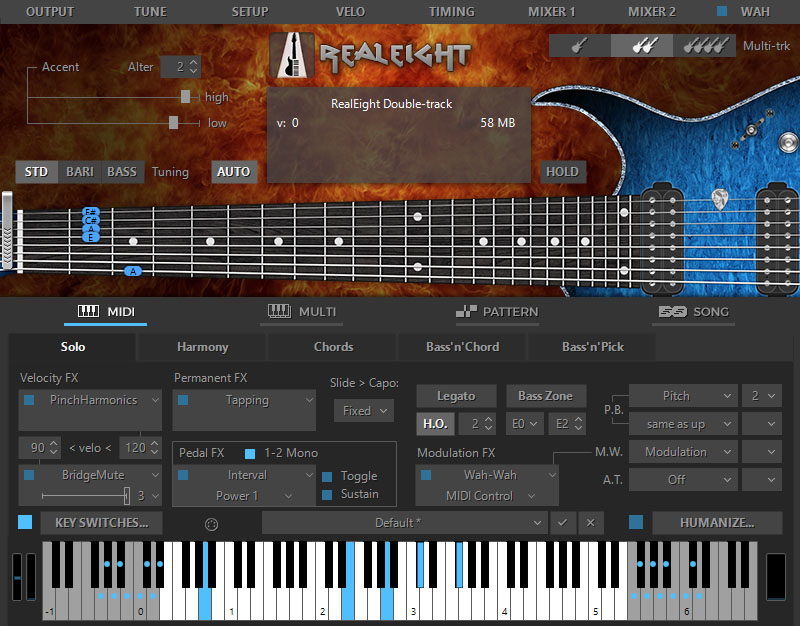
At first it's difficult to focus on one thing: there are not only many strings, but also many elements on control panel. In a few minutes, poking at random begins to understand more.
Advantages:
Disadvantages:
It turns out these are interesting opposites.
Today I want to compare two virtual guitars. First is Ample Metal Eclipse from Ample Sound. Sound of real ESP Eclipse guitar is now in a small application. Guitar has a Drop C tuning and it's very suitable for modern sound. Second is RealEight from Musiclab. It's hard to say what kind of guitar is this - fashion for lowered tuning gave a start to production of a large numbers extended range guitars.
So, let's begin.
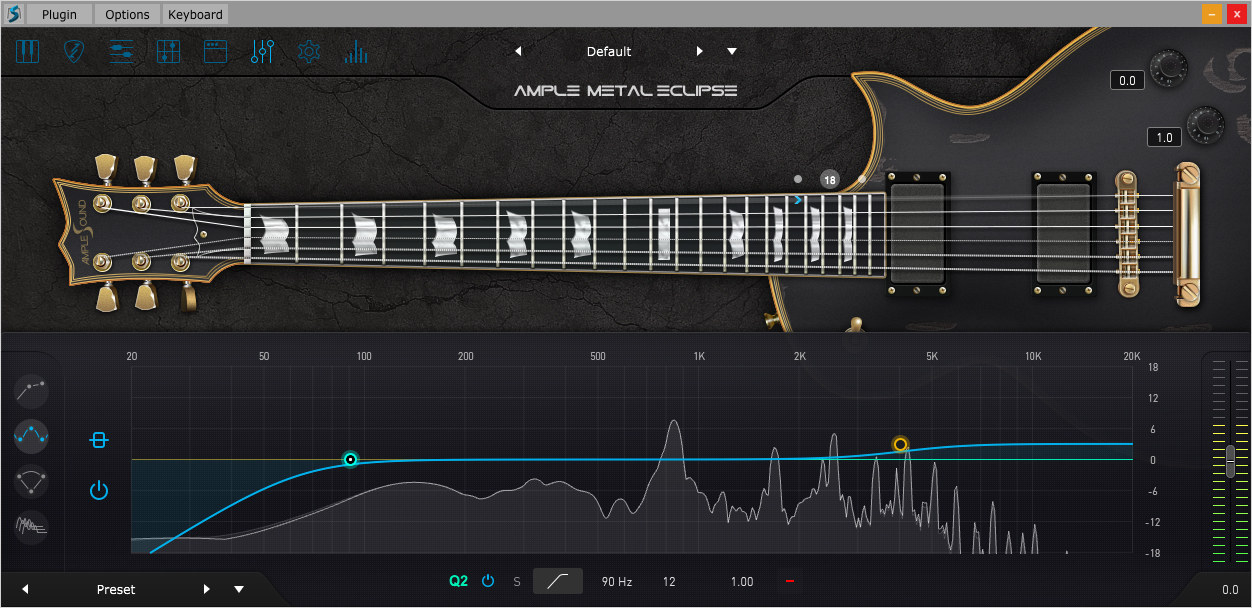
Black body, black fretboard, black pickups and only strings, inlay, frets and machine heads glint with evil glint. It looks very cool.
Advantages:
- And it sounds very cool. Very high quality, deep, rich sound.
- Drop C Tuning. The usual six-string, but it fits well with modern sound, where an extended range is required. Also, this is a rarity for this company - usually this is standard E or Drop D.
- Ease. You don't need much knowledge. A few clicks - and guitar part is ready.
- Humanization. You can make a guitar sound very close to what you get when playing a real guitarist on a real guitar. But unlike the next example, this happens automatically.
- Several options for writing guitar parts. In addition to standard "Strummer" you can import guitar tabs in GP format. Also there is an excellent function called Riffer. This feature makes it easy to create riffs. It's also possible to generate a random riff: you only need to select measure size, key and chord.
- You can create a timbre. In "FX" tab there are most popular pedals: compressor, overdrive, equalizer, chorus, phaser, delay, reverb and wah-wah.
Disadvantages:
- Despite the long development, plugin is still unstable. Can refuse to work at any time.
- Plugin requires a lot of CPU resources. That is, you need a very powerful computer.
- He sees only Cubase / Nuendo and only 8 and higher versions.
RealEightAt first it's difficult to focus on one thing: there are not only many strings, but also many elements on control panel. In a few minutes, poking at random begins to understand more.
Advantages:
- Installing the plugin, you can immediately two instruments: guitar and bass.
- Wide range. There are additional strings - seventh (B1) and eighth (F#1). Bass is an octave lower.
- Thin settings. You can form almost any sound. Probably, for this reason, this was called "Real."
- Requires little CPU. Suitable for weak computers.
- Any sequencer sees it.
Disadvantages:
- Sound can't be called qualitative. Usual Chinese eight-string for 150-200 USD.
- Sound has a very turbid attack.
- Requires a lot of knowledge. At first it may seem that it's intended for beginners who have a weak computer. But this impression is deceptive. This is very difficult to understand.
- Difficulties don't end there. This plugin sees only standard patterns. Non-standard patterns with this - it's a real misery. Importing custom MIDI files to working directory does't give anything.
It turns out these are interesting opposites.
Subscribe to:
Posts (Atom)